


USA v1.0
AGB-BPPE-USA
B992A3C0
CodeBreaker / GameShark SP

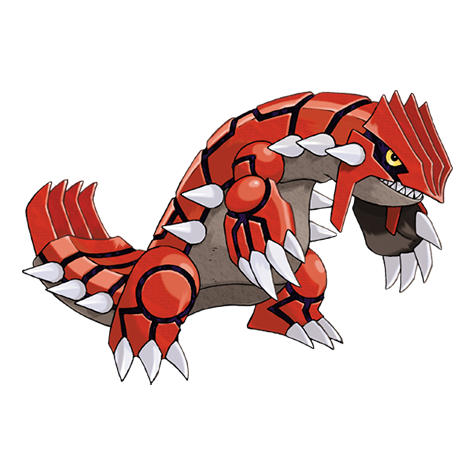

Pokémon Pinball: Ruby & Sapphire cheat codes
Enable Code — must be on
00000000 0002
10000988 0008
Keep this enabled alongside one compatible CodeBreaker/GameShark SP code below.
Infinite Balls
Keeps three balls available.
82000030 0003
Use: Requires the Enable Code shown above.
Infinite Time
Freezes the active timer at a generous value.
82000296 19B2
Use: Turn off when leaving timed modes.
Maximum Coins
Sets the coin counter to 99.
82000192 0163
Use: The counter updates when the game next redraws it.
Maximum Score
Sets a near-maximum score value.
82000044 423F
82000046 000F
Use: Avoid saving leaderboard data if you want natural records.
Ball Saver Always On
Keeps the ball saver enabled.
32000724 00FC
Use: CodeBreaker/GameShark SP format.
Pikachu & Pichu Available
Keeps both helpers available.
820001E2 0102
Use: Useful on either Ruby or Sapphire table.
Complete Pokédex
Marks all Pokédex entries complete.
4200B134 0404
00000066 0002
Use: Back up first; this permanently changes collection progress.
How to use the codes
- Confirm the region, serial/Game ID and CRC where shown.
- Make a separate backup of the save.
- Add one complete block using the exact cheat format listed above in a compatible emulator or original cheat device.
- Load gameplay before pressing any activation buttons.
- Confirm the effect, then disable persistent or unlock codes before saving unless the instructions say otherwise.
Troubleshooting
The cheat appears but does nothing
The most common causes are a region/revision mismatch, the wrong cheat type, a missing enable code, or pressing the activator before gameplay loads. Disable every other cheat and test a single block on an unmodified dump.
Sources and verification
Only codes published for this identified release were selected. “Verified” here means cross-recorded by established code databases or original code researchers; emulator builds and modified ROMs can still affect compatibility.
Pokémon and related names are trademarks of their respective owners. This independent guide is not affiliated with Nintendo, The Pokémon Company or the listed publishers.
0 comments:
Post a Comment
Did these cheat codes work for you? Leave a comment with your game version, region and emulator or cheat device. If something didn’t work, tell us which code you tried. Your feedback helps us verify codes and improve this guide.