


Game Boy Advance · English · Gaia v3.2
Looking for Pokémon Gaia cheat codes for Rare Candy, Master Balls, money or shiny Pokémon? This guide covers Gaia v3.2, with separate CodeBreaker and GameShark / Action Replay entries, activation instructions and buttons that copy only the code.
Choose the shortcut you need, check its format, and follow its setup before returning to Orbtus. The sections below explain where each change should appear, which master code belongs with it, and what to do if the result looks wrong.
Game Boy Advance Pokémon cheats hub · Sources reviewed
Before using a code: keep a separate backup of your in-game save. Test one cheat at a time, together with its stated enable code if needed. Put the cheat name in your emulator's name field; Copy code supplies the code field only.
About these codes: the entries are drawn from published Gaia community reports. CheatCodeDB has reviewed the source information and code strings but has not independently play-tested these cheats. Compatibility notes are included beside the affected entries.
Choose the right Pokémon Gaia v3.2 cheat
Gaia is a FireRed hack created by Spherical Ice. Its own version matters: a FireRed label in an emulator does not confirm that you are running the right Gaia release. Check the title screen and the README supplied with your patch. The creator's website is the release reference.
| Your goal | Format | Where to check |
|---|---|---|
| Rare Candy | CodeBreaker | First item in a Poké Mart's Buy list |
| Master Balls | CodeBreaker | First item in a Poké Mart's Buy list |
| Money | CodeBreaker | Current balance while enabled |
| Walk through walls | GameShark / Action Replay | Movement outside battle |
| Shiny encounters | GameShark / Action Replay | A newly started wild battle |
| Stop random battles | GameShark / Action Replay | Ordinary wild-encounter areas |
A shop replacement changes what you can buy; it does not directly add a stack to your bag. Keep that distinction in mind before deciding a code has failed.
Pokémon Gaia master code: match it to the cheat
The shop method below is published with this CodeBreaker enable code. Add it as a separate entry named Gaia shop enable, then add one shop item code beneath it in your emulator's cheat list.
000014D1 000A
10044EC8 0007
Use it with Rare Candy, Master Balls or one of the item replacements. The source lists a different enable code for wild Pokémon modifiers. Keep those entries separate.
Some emulators apply individual shop writes without an enable entry. If your emulator rejects the master code, confirm CodeBreaker was selected. Adding several unrelated master codes makes troubleshooting harder.
Pokémon Gaia cheat codes for items, money and encounters
Each box contains one entry. Keep every line inside that box together when pasting. The short name above it stays out of the copied text.
Rare Candy cheat: buy it at a Poké Mart
Use the shop enable entry, then add this code. The published method replaces the first item in the Buy list with Rare Candy; the source lists its usual price as 4,800.
82003884 0044- Start outside the shop menu with your backup already made.
- Enable the shop entry and this Rare Candy entry.
- Talk to the clerk, choose Buy and check the first item's name.
- Buy one to begin with. Exit the menu and disable both entries.
- Check your bag, use the Candy and inspect your other item pockets before saving.
For money help, see the separate money code. Establish that each method works on its own before combining changes.
Master Ball cheat: replace the first shop item
Switch off the Rare Candy replacement first. With the shop enable code in place, activate this entry and check the first item offered by the clerk.
82003884 0001Buy a small quantity, close the shop and disable the entries. Confirm the balls are in your bag. The Rare Candy and Master Ball codes write to the same location, so leaving both on creates a conflict.
Infinite money cheat
This two-line money code is listed in the Gaia collection. It is a separate entry from the shop codes; the source does not supply an additional money-specific master code.
820257BC 423F
820257BE 000F
Activate: enable both lines together, reopen the menu showing your money and check the balance. Make your intended purchase, then switch the entry off and check the result.
Persistence: the source warns that the displayed money may revert after disabling the code, while purchased items remain. Do not treat the temporary balance as proof that your saved funds have permanently changed.
Walk through walls
509197D3 542975F4
78DA95DF 44018CB4
Enable this entry outside battle and check movement near an ordinary obstacle. No extra activation button is specified in the published method. Return to a normally accessible tile before disabling it.
Protect your progress: avoid crossing event boundaries or walking into unfinished space. Passing a barrier does not complete the story event behind it. If you become trapped, reload your earlier save instead of saving the new position.
Shiny Pokémon encounter cheat
Add all six lines as one entry, enable it before a new wild encounter, and check the result. Disable it once you have finished testing or catching.
39584B19 D80CC66A
CE71B3D3 1F6A85FB
198DF179 5413C867
73ECB8A0 BDD8B251
D5AFFB37 6855972C
73ECB8A0 BDD8B251
Known limitation: this published shiny method can fix the encountered Pokémon's gender and nature. Check its summary before saving. Test it on its own, with species and nature modifiers switched off.
This entry targets encounters. It is not a command to recolour every Pokémon already in your party or PC.
100% catch-rate code
87ACF659 707466DC
8BB602F7 8CEB681A
The community list describes this as a catch-rate modifier. Test it in a normal wild battle with an ordinary Poké Ball. Keep other battle modifiers off, then disable it after the catch.
This is not a trainer-Pokémon theft code, an encounter selector or a way to trigger a missing story event.
No random battles
D41DD0CA 33A629E5
8E883EFF 92E9660D
Use this while travelling through ordinary wild-encounter areas. Switch it off before testing a shiny or species modifier: those cheats need a wild battle to begin.
Do not rely on an encounter toggle to skip scripted battles or repair a blocked story event.
Code strings and Gaia-specific notes: PokeCoders' published Gaia collection. Retro Dodo's Gaia guide also documents the six-line shiny method and its nature/gender limitation.
Useful item and Mega Stone cheats
These are additional CodeBreaker shop replacements from the Gaia item list. Use the same shop enable entry and the same buy-one-and-check process. Activate only one of the following item codes at a time.
Healing items and Heart Scales
Full Restore
82003884 0013Max Revive
82003884 0019Heart Scale
82003884 006FMega Stones
Charizardite X
82003884 00E7Charizardite Y
82003884 00E8Lucarionite
82003884 010ARead the shop label before purchasing. Having an item in your bag does not establish that the story requirements for its use have been completed. Play through Gaia's Mega Evolution introduction normally and use the appropriate Pokémon and held stone.
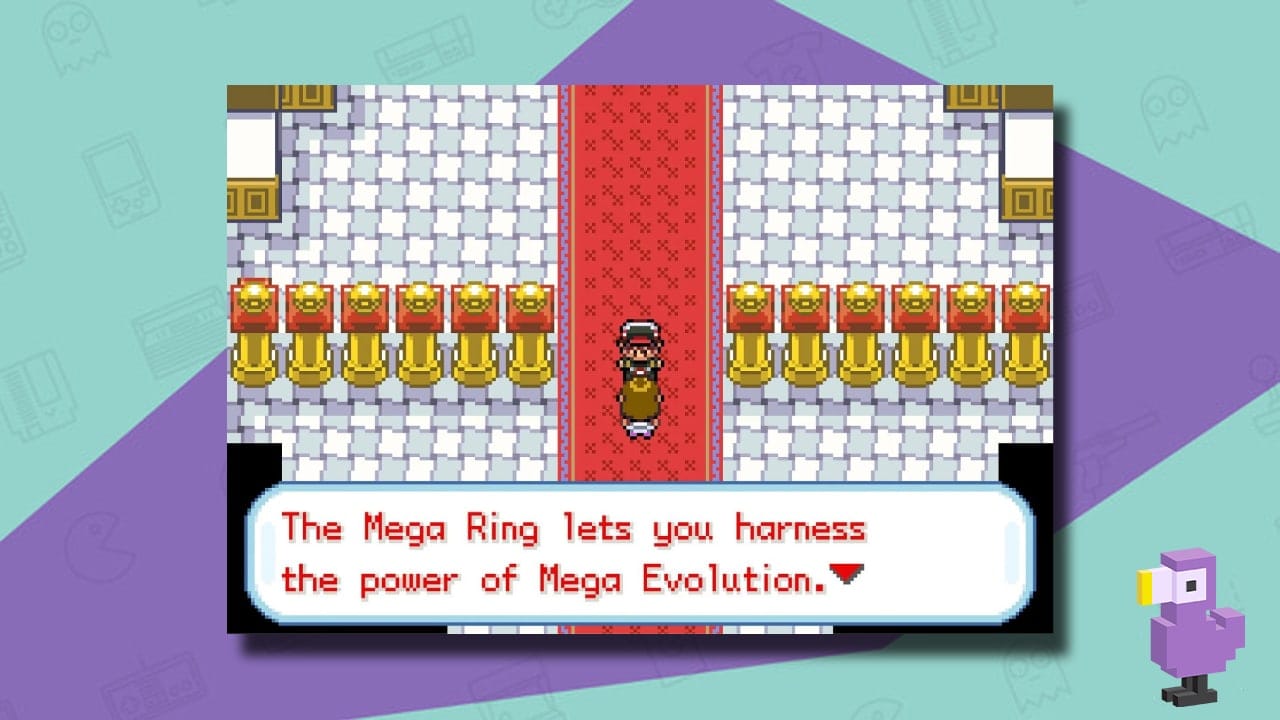
Item values: PokeCoders' Gaia item and Mega Stone tables. Gaia's creator describes its in-battle Mega Evolution system in the official project thread.
Wild Pokémon modifiers: compatibility varies
The published species modifier uses CodeBreaker and a different enable entry from the shop method. Player reports are mixed, including a v3.2 report of a black screen when a modified encounter starts in mGBA 0.10.5. Treat these as optional community-listed entries.
Show encounter codes and their setup
Start from a separate test save. Disable the shop enable code, shiny cheat and no-random-battles entry. Add this encounter enable code separately:
000014D1 000A
1003DAE6 0007
Then add one species entry and begin an ordinary wild encounter.
Pikachu encounter
83007CEE 0019Eevee encounter
83007CEE 0085Mewtwo encounter
83007CEE 0096If the encounter opens normally, check the species, finish the battle and disable the modifier and its enable entry. If it hangs or displays the wrong Pokémon, stop the test and reload your clean save with all cheats off. Do not save over your backup.
A species modifier does not complete that Pokémon's story event. Avoid assuming that a number taken from another ROM hack will produce the same result in Gaia.
How to enter Pokémon Gaia cheats in an emulator
Your game file runs in a GBA emulator. The name field, code field and code type serve different purposes. Copying a heading into a code field is a common, avoidable source of errors.
My Boy! on Android
- Load Gaia and open the emulator menu, then Cheats.
- Create a new entry. Give it a useful name, such as Gaia — Master Ball shop.
- Choose the type shown on the card: CodeBreaker or the appropriate GameShark / Action Replay option.
- Paste the copied lines into the code field, save the entry and enable it.
- Return to the game and carry out that card's activation step.
My Boy!'s developer FAQ documents the cheat menu and warns that versions, code types and conflicting entries matter. Menu wording can differ between app releases.
mGBA on a computer
- Open Gaia, then open Tools → Cheats.
- Choose Add New Code and name the entry.
- Choose the matching code type, paste the complete block into the code-entry area and choose Add Lines.
- Enable the entry, return to the game and check its effect before saving.
These controls are shown in mGBA's desktop cheat interface. A frontend or an older release can present them differently.
Other GBA emulators
Use an emulator that supports the stated cheat format. Keep a multiline code in one named entry. If the app cannot accept that format, consult its documentation before splitting lines into unrelated cheats or changing their values.
When you finish a test, inspect the bag and Pokémon involved, switch the cheat off, and check the game again. A save state taken after a bad change is not a clean backup of your earlier progress.
Pokémon Gaia cheats not working? Check in this order
- Turn off other entries. Begin with a single effect and its own stated enable code.
- Confirm Gaia v3.2. Check the game and patch documentation, including any translation or extra patch you applied.
- Match the type. A CodeBreaker entry and a GameShark / Action Replay entry are not interchangeable.
- Check the pasted text. Keep all lines, spaces and leading zeroes. Remove names, brackets and explanations from the code field.
- Repeat the correct action. Reopen the shop for a shop replacement; start a fresh encounter for an encounter cheat.
- Restart from a clean save if needed. Disable cheats first and avoid automatically loading a state made during the failed test.
| What you see | What to check |
|---|---|
| Rare Candy is missing from the bag | The main method replaces a shop item. Check the first Buy entry and purchase it. |
| The wrong shop item appears | Disable all other item replacements. Reopen the Buy list with one item code active. |
| No wild Pokémon appear | Disable the no-random-battles code before testing encounter changes. |
| Unknown code or invalid code | Check the format selection and confirm that no title or explanatory text was pasted. |
| TM Case crashes after a PC Candy cheat | A v3.2 reader reports this problem. Disable that code and restore the earlier save; switching cheats does not repair an already damaged bag. |
| Black screen when a modified battle begins | Disable encounter modifiers and reload the clean save. Stop using the failing entry on that setup. |
When asking for help, include the code name, Gaia version, emulator name and version, selected code type, and the exact result. That is much more useful than “it doesn't work.”
Video example: Pokémon Gaia v3.2 cheats
This community video by A Start Gaming is labelled for Gaia v3.2. Use it as a visual reference alongside the written compatibility notes; it does not establish that every code works in every emulator.
If the player is unavailable, watch the Gaia v3.2 example on YouTube.
Pokémon Gaia cheat-code FAQs
Do all FireRed cheats work in Pokémon Gaia?
No. Gaia changes FireRed, and a code can point to data that now behaves differently. Use a Gaia-specific entry with release information and check its result. The fact that another FireRed hack accepts a code does not establish Gaia compatibility.
Does every Gaia cheat need a master code?
No universal master code is supplied for every entry here. The shop and wild-encounter methods have their own published enable entries. Follow the section you are using, and keep enable codes separate from the effect codes.
Why does this guide use the shop Rare Candy method?
It gives you a visible item name and purchase to check. A reader using Gaia v3.2 and mGBA 0.10.5 reported TM Case crashes after using the PC Candy code. The shop method still needs a backup and a small test purchase.
Can I paste these cheats into Citra or JoiPlay?
Use a GBA emulator for Gaia. Citra's 3DS cheat interface and JoiPlay's RPG Maker cheat menu are not the interfaces for these GBA CodeBreaker and GameShark entries.
Will these codes work on a randomised, translated or newer Gaia release?
This guide covers standard English v3.2. Extra patches and other releases require separate compatibility checks. Confirm the installed build before changing codes or assuming that a familiar title means an identical game file.
Why did my money change back after I disabled the cheat?
The published money entry includes that limitation. Check your balance with the entry off, and distinguish temporary displayed funds from items you have actually bought.
Is turning a cheat off enough to undo it?
It stops the enabled entry from continuing to run; it does not guarantee that earlier changes are reversed. Bought items, captured Pokémon or altered save data may remain. Restore your separate clean backup when you need to undo a test.
What if the Copy code button does not work?
The page tries the browser clipboard and a fallback. If both are blocked, a manual-copy field appears beside the code. You can also select the visible code directly. Keep the name in the emulator's separate name field.
Sources and reader feedback
This guide separates the creator's release information, published cheat entries and individual player reports. Source review is not independent gameplay testing, and a reported problem on one setup does not establish failure on every setup.
- Spherical Ice's Gaia website — official release link; the v3.2 archive includes the English-language and FireRed-base information.
- Creator's Gaia project thread — game identity and features.
- PokeCoders' Gaia cheats and comments — code strings, item values, enable entries and player-reported limitations.
- Retro Dodo's Gaia guide — shiny-method reference and the two credited images.
- My Boy! developer FAQ and mGBA's cheat interface source — emulator-entry guidance.
Did the codes work for you? Leave a comment with your Gaia version, emulator version, code name and result. Tell us which instructions helped and what would make this page easier to use.
CheatCodeDB is an independent guide and is not affiliated with the Gaia development team, Nintendo or The Pokémon Company.
Automatic copying is unavailable. The code is selected below. Use your device's Copy command or press Ctrl+C / Command+C.
0 comments:
Post a Comment
Did these cheat codes work for you? Leave a comment with your game version, region and emulator or cheat device. If something didn’t work, tell us which code you tried. Your feedback helps us verify codes and improve this guide.